


I use the POS system in my café, and during the night shift our staff work for long hours. The bright screen can be uncomfortable for them.
Is it possible to activate Dark Mode in the SalesPlay POS app so the interface changes to a darker theme for better visibility at night? If yes, how can we enable Dark Mode in the app settings?
For windows web pos its in the main billing interface. this is very good feature, love it.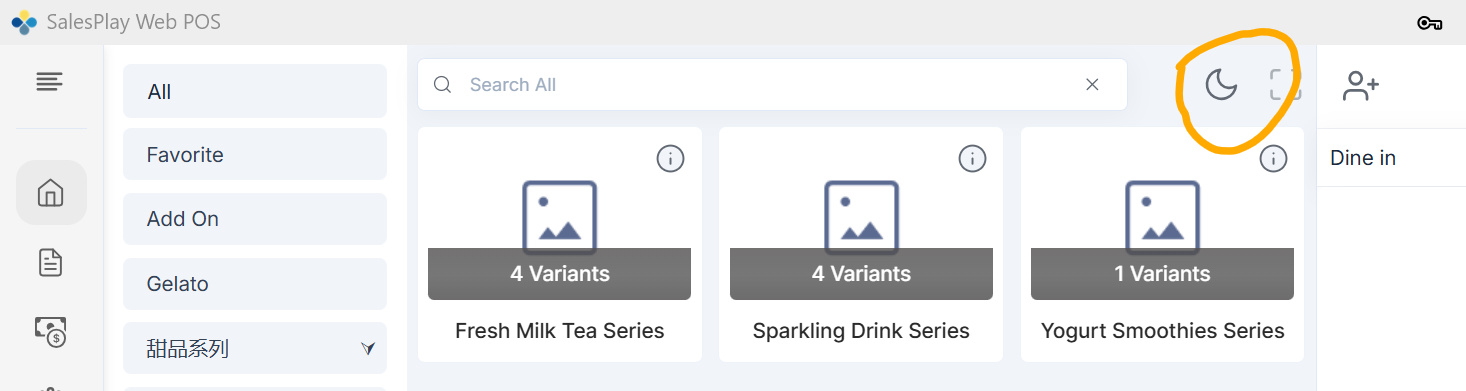
Yes, this feature is available in SalesPlay POS.
You can enable Dark Mode from the POS App Settings, which will change the interface from the light theme to a darker color scheme. This helps reduce eye strain and improves visibility for staff working long hours or night shifts.
Follow these steps to turn on Dark Mode in your POS app:
Once enabled, the new theme will apply immediately.
More – https://help.salesplay.com/help/dark-mode-theme-in-pos-app